




The landscape of education has shifted permanently. The world of digital classrooms is growing and so is the need to manage an increasing amount of recorded content. Schools, colleges, and universities are no longer just physical spaces. They are content hubs generating terabytes of video data every semester. But with so many options for storing and sharing recordings, how can schools ensure they choose the best classroom recording system for their needs?
In this guide, we dive deep into the technical and practical comparison of local vs. cloud storage for classroom recordings. In addition, we also explore how Roombr’s integrated system offers an optimized, scalable, and easy-to-manage solution for educational institutions of all sizes.
Need for a Classroom Recording System
The days of teaching only to the students physically present in the room are fading. Hybrid and blended learning is the standard expectation now. This means your need for a reliable lecture recording equipment setup is more critical than ever before.
Why Every Class Needs to Be Recorded Now
- For the Students: Think of recorded content as an academic safety net. Missed a difficult lecture on calculus? Watch it again anytime. Have a learning disability? Revisit the class repeatedly at your own pace. This 24/7 access to knowledge is essential.
- For the Teachers: Having an organized archive frees up teaching time. You can use recordings to structure "flipped classrooms," reduce repetition, and ensure teaching consistency across departments.
- For the Institution: Recordings are proof. They offer transparency and quality assurance, which is invaluable for accreditation and attracting new students who prioritize robust online learning resources.
Dealing with Video Volume and Quality
The volume of video data created by modern smart classroom equipment is the true challenge.
- File Size is a Monster: A good quality HD video is huge. We're talking several gigabytes per hour. This isn't a simple Word document; it's a massive file that takes real time and bandwidth to move.
- The Bandwidth Bottleneck: School Wi-Fi networks are often slow, especially when hundreds of students are using them. Asking a teacher to upload a 5GB file after class can take hours and often fails, creating frustrating delays and doubling the teacher’s workload.
- The Juggling Act: Where do you save the video? On your desktop? On a clunky external hard drive? On a personal Google Drive account? This fragmentation is the primary reason schools lose valuable teaching content.
Clearly, the storage strategy is the key to making your classroom recording system actually work.
Local vs. Cloud Storage
When choosing the foundation for your lecture recording solution, you have to weigh these options carefully, acknowledging the significant drawbacks of each when used alone.
Local Storage
Local storage means keeping your class recording files right there on the machine or on a drive physically connected to it.
The Case for Cloud Storage
Cloud storage means uploading files to remote servers run by companies like Google, Amazon, or Microsoft.
Roombr’s Smart Middle Ground: The Hybrid Storage System
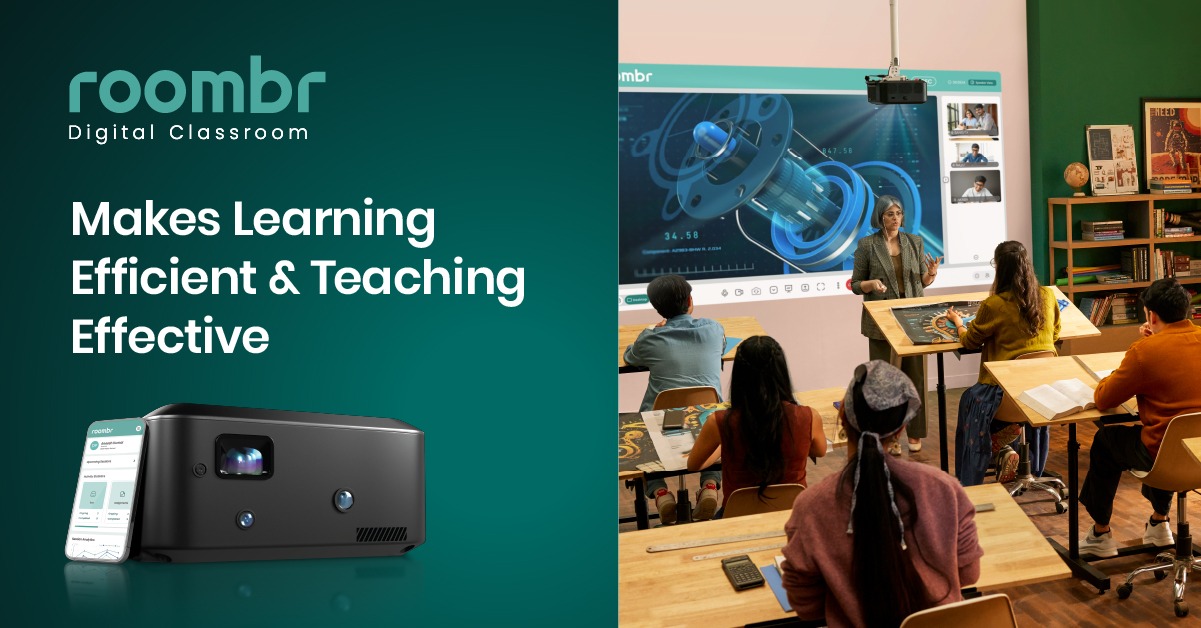
Frankly, choosing only local or only cloud means accepting a major compromise. That’s why Roombr was engineered to solve this exact problem by adopting a hybrid model. It’s the kind of smart classroom equipment that anticipates your IT needs.
The 1 TB SSD Built Right In
Roombr isn't just a screen and a camera; it's a powerful computing unit. Tucked inside this machine is a lightning-fast 1 TB Solid State Drive (SSD) running on an Intel i7/i5 processor.
- The Benefit for Teachers: When a teacher starts recording classes, the high-definition video is instantly saved to that fast, reliable local SSD. If the campus Wi-Fi suddenly goes down, the lesson continues without interruption, and the recording is safely captured.
- The Benefit for IT: You have immediate, high-quality, local backup storage for the most recent and critical lessons.
Effortless Sharing and Archiving
This is where Roombr simplifies the teacher's life. Instead of demanding a manual file transfer, it is smart enough to handle the sync itself.
- Automatic Upload: Once the class is over and the Roombr detects a stable internet connection, it automatically begins uploading the recording from the local 1 TB SSD to your dedicated, secure cloud storage.
- No Teacher Intervention: The teacher just walks out. They don't have to worry about finding the file, renaming it, or waiting for the upload bar to finish.
This dual system ensures that you get the speed and independence of local storage and the universal access and scalability of cloud storage, all without forcing your teachers to be IT technicians.
How Roombr Saves Your Teachers' Time
The true measure of a good classroom recording system is how much administrative burden it removes. Roombr is designed to streamline the workflow from the moment the lesson starts to the moment the student hits play.
The Beauty of Plug-and-Play
Forget the tangled web of a traditional setup, the external cameras, the microphones on tripods, and the capture cards. Roombr is a comprehensive, all-in-one unit.
- Zero Configuration Stress: It has dual HD cameras, a super-sensitive piezoelectric MEMS microphone array with noise cancellation, and all the processing power already inside its case. You plug it in, you turn it on, and you teach.
- No Compatibility Nightmares: Local and cloud storage are configured to talk to each other perfectly, eliminating the disjointed, fragile setup that plagues other systems.
Automatic Organization and Archiving
Imagine how much time your teachers lose just trying to organize their past lessons. Roombr's AI features handle this automatically.
- Smart Metadata: Recordings aren't just dumped into a folder. They are tagged with the subject, teacher, and date, making it easy for teachers and administrators to search for content quickly.
- Easy Student Access: Students don't need to install weird codecs or specialized software. They get a secure link, and they can watch the lesson, whether it’s being pulled from the cloud or the local storage pool. This is fundamental for modern online learning.
Key Questions to Ask Before Buying a Lecture Recording Solution
Choosing the right smart classroom equipment is a huge investment. Here are the three non-negotiable considerations where Roombr provides clarity.
1. Future-Proofing: Capacity and Scalability
You might be happy with 1 TB today, but what about five years from now, when your school has doubled in size?
Roombr’s Answer: Our hybrid system means the initial 1 TB SSD investment gives you high-speed recording capability for years, while the integrated cloud archiving allows you to scale your historical database infinitely without ever buying another physical server for video storage. It protects your immediate costs while allowing for limitless growth.
2. Trust and Security: Data Protection
When you are storing student videos, security and data privacy are paramount. You can’t afford mistakes.
Roombr’s Answer: Trust is built-in. Roombr is BIS Certified (Bureau of Indian Standards) and ISO certified. This means the hardware and the data management protocols have passed rigorous quality and safety benchmarks. Our cloud encryption ensures that sensitive content is protected at all times.
3. Teacher Workflow: Removing the Pain Points
If the system is a hassle, it will gather dust.
Roombr’s Answer: We built a system where the teacher’s job ends when the bell rings. Automatic local save, automatic cloud sync, automatic organization. This focus on simplifying the process reduces teacher workload and ensures maximum adoption of your new lecture recorder system. They can focus on creating engaging lessons, not managing USB cables and upload failures.
Roombr’s AI: Making Your Content Smart and Searchable
Roombr doesn’t just store video; it stores smart content. We use AI not as a gimmick, but as a teaching assistant for your digital library.
AI-Enabled Content Enhancement
Imagine your video content being ready to use immediately.
- Quick Edits: Our AI features help educators quickly cut out those awkward five-minute pauses at the beginning of class or the technical glitches that happen mid-lecture.
- Optimized for Sharing: This ensures that every recorded session is clean, concise, and ready for easy student access, which is crucial whether the file is accessed from the local SSD or the cloud.
Smart Archiving, Easy Access
The Roombr AI ensures that your massive video archive remains useful, not just bulky.
- Auto-Tagging: Roombr automatically archives recordings with useful metadata. Instead of searching by date, administrators can search by concepts, allowing for far better content management.
- Secure Permissions: The integrated Roombr App allows you to set precise access controls. Students can revisit classes, but they can't download and share sensitive content outside the authorized portal. It maintains privacy while enhancing access.
Frequently Asked Questions
1. Which storage option is best for long-term scalability of lecture recordings?
Cloud storage offers superior scalability, as capacity can be increased instantly. Local storage, while fast initially, requires recurring hardware upgrades to expand capacity over time.
2. What are the key security and privacy differences between local and cloud storage?
Local storage offers more direct control over data location. Cloud providers offer robust encryption and redundancy, but require institutions to verify data compliance protocols.
3. How does storage choice affect the overall cost of a classroom recording system?
Local storage is a higher upfront capital expenditure (CapEx). Cloud storage involves lower initial costs but higher, ongoing operational expenditure (OpEx) that increases with data volume.
4. Is high-speed internet mandatory for a reliable classroom recording solution?
Cloud-only solutions require high bandwidth for uploads and access. Hybrid or local recording systems save files first, ensuring continuity even with intermittent school internet.
5. What is the most efficient way to manage and archive thousands of recorded lecture files?
Automated, cloud-integrated solutions using metadata tagging are most efficient. This eliminates manual teacher uploads and file transfers, centralizing content for easy search and retrieval.
Key Takeaway
For schools committed to the future of online learning, the choice is clear: you need the speed of local storage and the universal access of cloud storage. The compromise ends when you adopt a truly hybrid solution.
Roombr Digital Classroom provides that comprehensive answer. It’s the powerful, BIS Certified Walltop Computer that does the work for you. By combining 1 TB SSD local storage with automatic cloud archiving, Roombr ensures that your valuable educational content is always secure, always available, and always easy to manage.
Stop wasting time with fragmented, unreliable lecture recording equipment and start focusing on effective teaching. Roombr is the holistic, proven classroom recording system that empowers your teachers and enhances your students' learning experience.
Ready to simplify your entire digital classroom workflow?
Click here to request a personalized demo of the Roombr Walltop Computer and our hybrid storage solution.

Foziya Abuwala
Share
Step Into the future of
Education with Roombr












