




If you are currently evaluating the digital board price in India, you have likely noticed a confusing trend. You might see a 75-inch interactive panel from a generic brand selling for ₹1.1 Lakhs, while specialized solutions cost significantly more.
To the naked eye, they look identical: a black glass screen with touch capability.
So, here is the question you need to ask: What is powering that screen?
Many low-cost interactive flat panels (IFPs) are essentially giant Android tablets mounted on a wall. While they are great for basic writing, they suffer from the same limitations as a mobile phone. In contrast, modern educational needs, running heavy 3D simulations, multitasking between PDFs and browsers, and securing data, require the power of a full computer.
Before you finalize your budget, it is critical to understand whether you are paying for a mobile operating system (Android) or a desktop workstation (Windows 11). This single factor determines whether your board lasts 3 years or 10.
The Mobile App Limit: Why Android Struggles in Higher Education
When you check the specs of a smart board for school, you will often see Android 11 or Android 13 listed. This is the same operating system found in budget smartphones.
While Android is excellent for lightweight apps, it is not designed for heavy academic lifting.
- The Lite Version Trap: Teachers often try to open Microsoft Word or PowerPoint on an Android board, only to find they are using the mobile app version. These versions often lack critical formatting features, animation support, and the ability to handle large files.
- Software Incompatibility: India’s education ecosystem is shifting toward advanced tools. Olabs (Online Labs), heavy CAD files for engineering, and offline coding compilers (like Python or Java for CS students) do not run on Android. They require a Windows environment (EXE files).
If your teachers have to connect their personal laptops to the board every time they want to teach a serious topic, you haven't bought a smart solution. You've just bought a glorified external monitor.
The Multitasking Test: Browser + Whiteboard + PDF
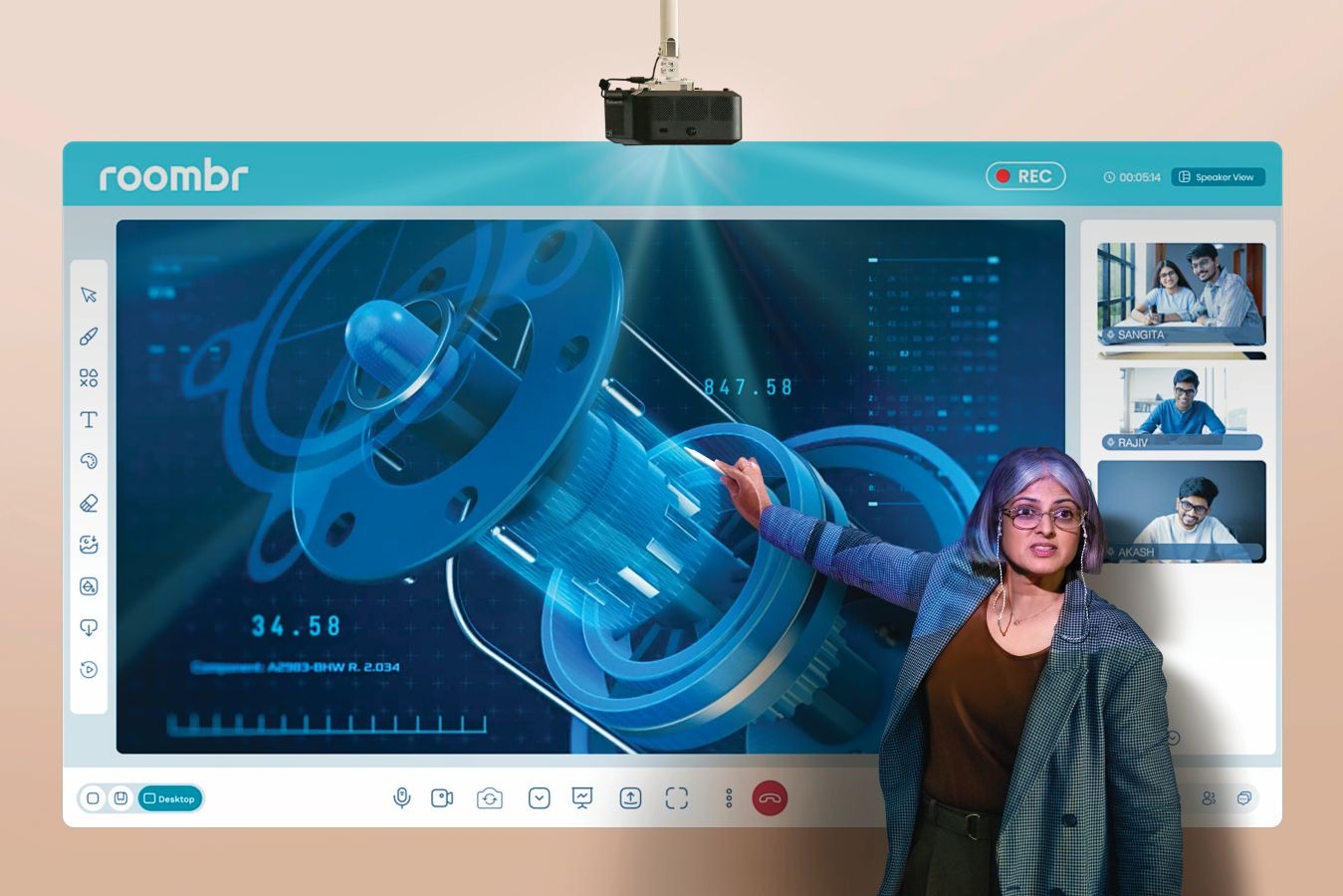
Real teaching can be complex. A physics teacher might want to:
- Open a PDF question paper.
- Play a YouTube video of an experiment.
- Solve the equation on the whiteboard side-by-side.
On an Android panel, this is a struggle. Split-screen functionality on mobile OS is often clunky, laggy, or limited to specific apps.
Windows 11, however, is built for this. With interactive flat panel features like Snap Layouts, a teacher can have four active windows open simultaneously without a stutter. This isn't just a luxury. It's a productivity requirement for competitive coaching (JEE/NEET) where speed and clarity matter.
The Obsolescence Clock: 3 Years vs. 10 Years
One of the hidden factors affecting the digital board price in India is the lifespan of the Operating System.
- The Android Cycle: Just like a phone, Android boards stop receiving security updates after 3-4 years. Once the OS is outdated, newer apps stop working, and the device becomes a security risk. You might save money upfront, but you will likely need to replace the hardware in 5 years.
- The Windows Advantage: Microsoft supports its OS for a decade. A Windows 11 device bought today will remain compatible with the latest software well into the 2030s.
When you amortize the cost over 10 years, the expensive Windows machine is actually far cheaper than buying two affordable Android panels.
Security: The Enterprise Standard
Schools and colleges are increasingly becoming targets for cyberattacks.
- Unmanaged Androids: Many budget panels are unmanaged devices. Students can easily plug in infected USB drives, download unauthorized APKs (games/apps), or mess with settings.
- Managed Windows: A Windows-based system can be added to your institution's Active Directory. Your IT team can remotely manage permissions, block USB ports, and ensure that no student can delete the math teacher’s syllabus folder.
The Hidden Cost of the OPS Upgrade
Many vendors will tell you: "Don't worry, you can buy an OPS (Open Pluggable Specification) PC later to upgrade our Android board."
While true, adding an OPS for interactive panels costs an extra ₹30,000 to ₹60,000, bringing the total cost much higher than you planned. Plus, it is an external module that can be stolen or damaged.
Roombr takes a different approach. It is not an Android board with a PC slot. It is a Walltop Computer built from the ground up on Windows 11 and Intel i7 architecture for classrooms.
- Integrated Power: The computing unit is fused with the projection system.
- No Switching Inputs: You don't have to switch from Android Mode to PC Mode. The entire experience is seamless.
- Future-Ready: With 16GB RAM and a 1TB SSD, it has the raw horsepower to run the AI tools and VR content of the future.
Summary: The Value Calculation
When comparing quotes, use this table to see what you are actually getting for your money.
The Bottom Line:
If you are buying a screen for a playgroup to draw on, a tablet-based Android panel is fine. But if you are equipping a classroom for serious academic outcomes, you need a computer.
Don't let the sticker price fool you. A smart board without a brain is just a TV.
Upgrade Your Classroom Intelligence with Roombr Digital Classroom
Your institution deserves more than a magnified smartphone. Roombr transforms your classroom into a limitless knowledge space by integrating a powerful Intel Core i7 computer directly into your teaching wall. Forget the frustration of mobile versions and incompatible files. With our native Windows 11 architecture, you get the security, speed, and software ecosystem of a professional workstation, built to last a decade, not just a few years.
Want to see the power of Windows 11 in a classroom?
Request a Roombr demo and experience the difference between a big tablet and a true teaching workstation.
Alternatively, you can directly reach out to us:
Email: learn@roombr.com
Contact: +91 9686659444

Foziya Abuwala
Share
Step Into the future of
Education with Roombr












