




Group projects are a core part of peer learning. Students learn best when they work together to solve problems. Traditional group work often leads to crowded desks and lots of noise. It is hard to keep everyone focused on one piece of paper. A modern digital classroom setup changes everything for institutions. It brings clear focus and structure to team tasks.
Schools and colleges across India are moving toward tech-driven learning spaces to boost student outcomes. Creating a modern environment is essential for future success. Let us explore how a smart classroom solution improves collaboration and makes teaching easier.
Peer learning is a powerful tool. It allows students to explain concepts to one another in their own words. This builds deep understanding. However, teachers need the right tools to make this happen smoothly. A dedicated central display transforms the room. It gives every student a clear view of the lesson. It removes the barriers of old teaching methods.
12 Ways a Digital Classroom Setup Enhances Group Projects
1. Creating a Central Hub for Team Discussions
When students gather around a large 3D display, it becomes a strong focal point. This type of digital classroom setup gives the entire group one shared space to look at. It prevents students from getting distracted by their surroundings. They all focus on the same visual content at the front of the room. This shared focus is the first step to a successful group project. It brings the team together naturally.
2. Fostering Better Communication Among Peers
Good teamwork requires very clear communication. A smart classroom environment helps students share their ideas openly. When one student presents a concept on the screen, the others can easily see it and respond. This open visual exchange builds a better understanding. It removes the confusion that often happens when students just talk without visual aids. Clear visuals lead to clear conversations.
3. Making Complex Topics Easier to Understand Together
Some school subjects are very hard to grasp through textbooks alone. A digital classroom setup allows groups to view lifelike 3D models and educational animations. Imagine a team looking at a beating human heart or a complex geographic landscape together. The topic becomes clear instantly. They learn from highly engaging visuals, and they learn from discussing them with each other. Boredom disappears when the lesson is vivid and bright.
4. Guiding Step-by-Step Problem Solving Together
Math and science projects require careful steps. A digital classroom setup is absolutely perfect for this logical process. One student can use the smart stylus to work through a math problem on the board. The rest of the team watches closely. They can guide the writer and correct mistakes as they happen. This step-by-step teamwork builds strong logic and math skills.
5. Encouraging Active Participation With Visual Brainstorming
Brainstorming is vital for project success. An interactive flat panel serves as a great digital canvas for the class. The team can map out their thoughts and ideas clearly. While they take turns using the stylus on screen, the whole group stays actively involved. They call out ideas while the writer records them on the main screen. This shapes the final project perfectly.
6. Connecting In-Class Teams With Hybrid Remote Learners
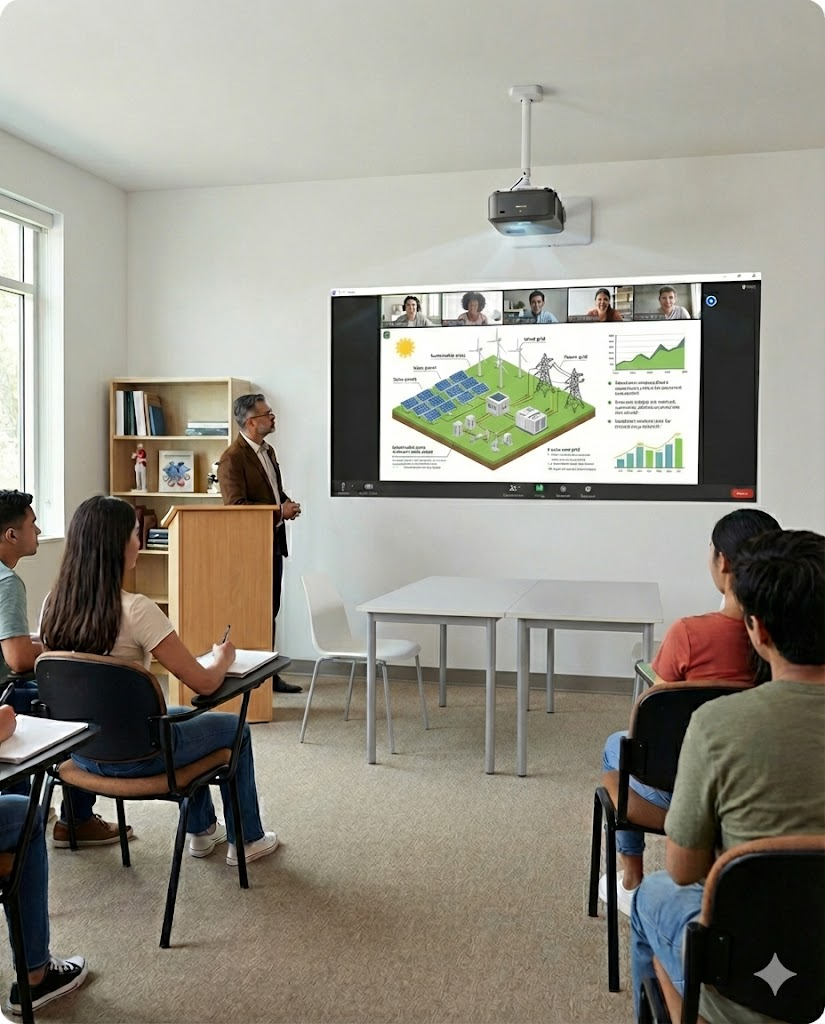
Sometimes students fall sick or cannot attend school. A digital classroom setup ensures they do not miss out on important group projects. The system seamlessly connects remote hybrid learners to the main display. The in-class team can talk to their friend at home in real time. The remote student can see the 3D display clearly. Everyone stays included and on track.
7. Improving Presentation Skills on a Large Interactive Display
Group projects usually end with a class presentation. A digital classroom gives students a professional platform to present their hard work. They learn how to stand by the large screen and explain their findings confidently. Taking turns with the stylus to point out facts builds immense confidence. These presentation skills are vital for their higher education and future careers.
8. Boosting Student Engagement During Peer Review
Reviewing the work of classmates is a great way to learn. With a digital classroom setup, a group can display an assignment on the big board. The team can read through it together and discuss potential improvements. This shared focus makes peer review much more effective. It is much better than passing a single sheet of paper around a desk.
9. Helping Teachers Guide Collaborative Learning Easily
Teachers need to manage multiple groups at the same time. A smart classroom allows educators to control the flow from their main console. They can display different group materials on the screen when needed. This makes it very easy to guide the entire class without any confusion. The teacher remains in full control of the collaborative environment.
10. Recording Group Sessions for Easy Review and Reinforcement
Students often forget what they discussed during a busy project. A digital classroom setup allows teachers to save the lesson content shown on the screen. Teams can look back at these saved notes later in the week. This reinforcement is a huge benefit for exam preparation. It ensures that great ideas are never lost after the class ends.
11. Gamifying Team Challenges to Make Teamwork Fun
Learning should always be fun. Teachers can use the interactive flat panel to run team quizzes or educational games. Taking turns to answer questions on the big screen brings out healthy competition. It makes teamwork exciting and highly memorable. Gamification is a proven way to increase student retention and happiness.
12. Building Essential Digital Skills for Future Careers
The modern professional world relies on technology. A smart classroom teaches students how to collaborate using advanced digital tools. By presenting and working together on a high-tech platform, students gain incredible skills. They learn visual communication and digital etiquette. These are the exact skills they will use in their future workplaces.
Prepare Your Students for the Modern World
Group projects are essential for overall student growth. They teach empathy, logic, and teamwork. A digital classroom setup takes all these benefits to the next level. It provides a clear, focused, and highly visual way for students to learn from each other. Upgrading to a comprehensive educational tech ecosystem is the best step a school can take to prepare students for the modern world. It transforms an ordinary room into a hub of active peer learning.
Ready to make group projects more engaging for your students? Explore how Roombr brings collaborative learning to life in your classroom.

Foziya Abuwala
Share
Step Into the future of
Education with Roombr












