




The transformation of Indian education is no longer a conversation about the "future." It is happening right now in our Zilla Parishad schools, Kendriya Vidyalayas, and state-run institutions. Under the National Education Policy (NEP) 2020, the push for a robust digital classroom setup has moved from a recommendation to a mandate.
However, for a government school principal or a district procurement officer, this digital shift often comes with a significant side of "procurement anxiety." The fear isn't of the technology itself, but of the red tape: complex tenders, mismatched hardware, "box-of-parts" deliveries that never quite work together, and the looming challenge of potential audit objections.
This is where the Government e-Marketplace (GeM) Portal becomes an administrator’s best friend. When utilized correctly, GeM transforms the acquisition of smart classroom equipment from a months-long headache into a transparent, efficient, and audit-safe process.
In this guide, we will walk through exactly how to navigate the GeM portal to secure high-quality smart classroom solutions, ensuring your institution stays ahead of the curve while remaining strictly compliant with GFR 2017 rules.
The GeM Mandate: Why It’s Better for Schools
Before the GeM portal, school procurement often relied on the "lowest quote" system through local tenders, which frequently resulted in sub-par hardware that lacked long-term support. Rule 149 of the General Financial Rules (GFR) 2017 changed the game by making procurement through GeM mandatory for all common-use goods and services available on the platform.
Why GeM is the "Safety Net" for Administrators:
- Transparency: Every transaction is digital and recorded. There is no "middleman" influence.
- Standardization: Products listed on GeM must meet pre-defined technical specifications.
- Audit-Proofing: Since GeM is a government-authorized platform, buying through it automatically fulfills most transparency requirements for state and central audits.
- Dynamic Pricing: You get real-time market rates, often lower than traditional retail due to the scale of government buying.
Smart Classroom Equipment Procurement Methods
One of the biggest misconceptions is that every purchase requires a massive, open tender. GeM offers three distinct paths based on your budget:
Pro-Tip: Always avoid "Piecemeal Purchasing." Splitting a single requirement of ₹1 Lakh into four separate ₹25,000 orders to avoid the L1 comparison is a major audit red flag. It is always better to group your requirements into a single, comprehensive order.
How to Find the Right Smart Classroom Equipment on GeM
The search bar on GeM can be tricky. If you search for "interactive board," you might find a mix of results ranging from simple interactive boards to complex interactive panels. To find a truly holistic digital classroom setup without getting lost in the "catalogue forest," follow these steps:
Step 1: Log in and Navigate the Catalogue
First, log in to your GeM Buyer Account. Head straight to the "Catalogue" section and select the "Products" tab. This is where the official marketplace lives.
Step 2: Use Strategic Keywords
The secret to a smooth search is using the right category names. Instead of searching for individual parts (like a projector, then a CPU, then speakers), search for integrated solutions. Look for these specific categories in the search bar:
- Integrated Digital Teaching Device (IDTD): This is the "Gold Standard" category for all-in-one tech like Roombr. It’s designed for devices that house everything in one unit.
- Interactive Flat Panel (IFP): Best for those looking specifically for touch-screen displays.
- All-in-One PC with Projector: A common category for smart, ceiling-mounted setups.
Pro-Tip: There is a chance that your search might not lead to the product you are looking for. In that case, check if the product is restricted to certain OEMs (Original Equipment Manufacturers) or authorized resellers. You can also contact GeM support directly through the portal for category assistance.
Step 3: Look for the "Single SKU" Advantage
On GeM, you will often see vendors offering kits, essentially a cardboard box filled with five different brands of hardware (a Dell PC, a Sony camera, etc.). Avoid these. Instead, look for a Single SKU (Stock Keeping Unit), like the Roombr Digital Classroom solution. Choosing a single, integrated SKU ensures:
- Plug-and-Play Reliability: Every component is factory-tested to work together perfectly.
- Zero Cable Chaos: You get one power cable instead of a bundle of wires behind the board.
- Single-Point Accountability: If a component fails, you have one vendor to call. They can’t blame a "third-party manufacturer" for the glitch.
Why Roombr is the Strategic Choice for Government Buyers
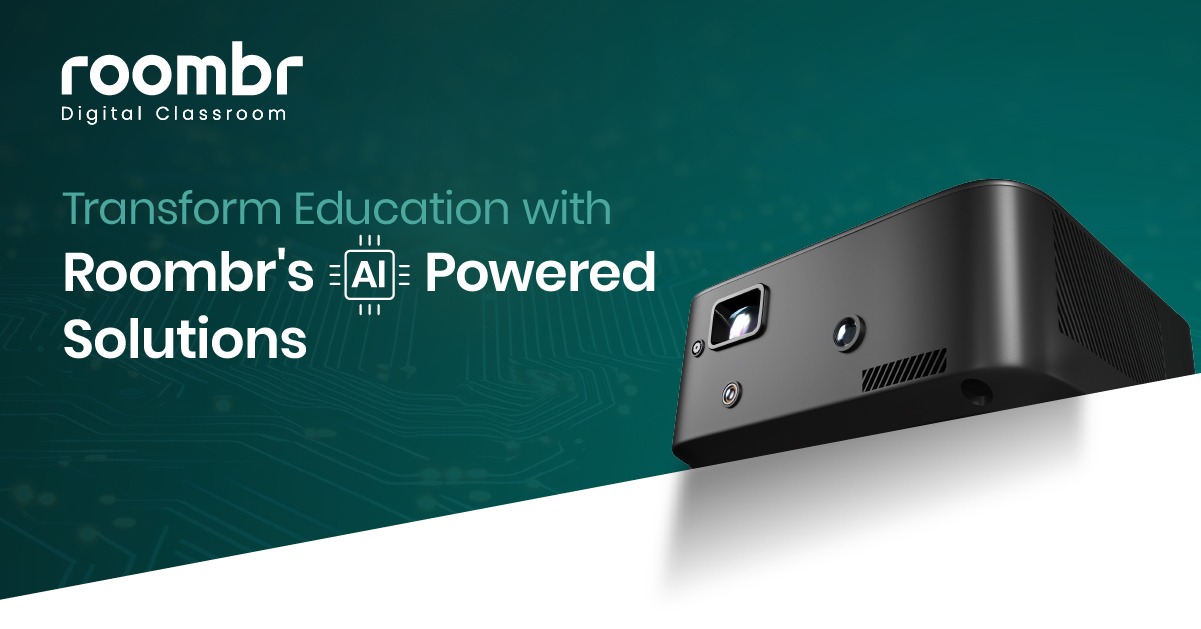
At Roombr, we understand the unique pressures of government procurement. Our solution isn't just a piece of hardware. It is one of the most compliant smart classroom solutions available on the GeM portal today.
A. "Make in India" (MII) Compliance
GeM prioritizes local manufacturers. Roombr is indigenously developed and manufactured in India. By choosing an MII-compliant product, you not only support national initiatives but also simplify the justification process in your procurement notes.
B. Certified for Quality (BIS & ISO)
Government auditors look for standardized certifications. Roombr is BIS (Bureau of Indian Standards) Certified and ISO Certified. This ensures that the public funds you are spending are going toward smart classroom equipment that is safe for your school environment and built to last.
C. The "Walltop" Innovation
Unlike a traditional digital board for classrooms, which is limited to a 65- or 75-inch screen, Roombr transforms the entire wall into an interactive space (up to 200 inches). On the GeM portal, this is listed as a high-performance integrated device, offering a much higher "Value for Money" (VFM) ratio than buying a standalone television-style panel.
The 4-Step Checklist for a Successful Procurement
If you are an IT administrator or a school principal ready to set up your digital classroom, follow this checklist to ensure a smooth process.
Step 1: Primary & Secondary User Registration
Ensure your school has a primary user (usually the Head of the Institution) and a consignee/buyer (the person who will receive and verify the goods). Ensure your Aadhaar-linked mobile number and official email are active.
Step 2: Define Technical Specifications
Don't just look for "interactive board." Look for these must-have specs to future-proof your classroom:
- Computing Power: At least an Intel i5 or i7 processor
- Integrated Camera: Essential for recording lessons and hybrid learning
- High-Sensitivity Mics: Crucial for the teacher’s voice to be heard clearly in the back of the room
- Storage: At least 1TB SSD to store recorded lessons locally
Step 3: The L1 Comparison Process
When selecting Roombr or any other solution between ₹25,000 and ₹5 Lakh, use the GeM comparison tool. Select three different products that meet your technical specs. The system will automatically highlight the L1 (Lowest) price. If you specifically want an integrated solution like Roombr because of its unique patented technology, ensure your "Technical Evaluation" document clearly states why an integrated device is superior to a piecemeal setup.
Step 4: Generating the CRAC
Once the equipment arrives, the most important step is the Consignee Receipt and Acceptance Certificate (CRAC).
- Inspection: Check the box, ensure all components (mics, remotes, cables) are present.
- Installation: Ensure the vendor completes the setup and a basic demo.
- Generation: You have 10 days to generate the CRAC on the portal. Doing this promptly ensures the vendor gets paid on time and keeps your school’s reputation high on the platform.
Utilize Grants: Samagra Shiksha & PM SHRI
Most government schools fund their smart classroom equipment through specific ICT grants.
- Samagra Shiksha Abhiyan: This grant specifically allocates funds for ICT and digital initiatives. When applying for this grant, providing a GeM-based quotation for an integrated solution is often looked upon more favorably than a vague request for computers.
- PM SHRI Schools: If your institution is selected as a PM SHRI school, you are expected to be a leader in your district. An all-in-one digital classroom setup allows you to demonstrate high-tech outcomes (like recorded lessons and 3D learning) to other schools in your cluster.
Frequently Asked Questions
1. Can we buy an Annual Maintenance Contract (AMC) on GeM?
Yes. It is highly recommended to procure a 3-year or 5-year AMC along with your hardware. Integrated solutions like Roombr offer a single-point AMC, which is much easier to manage than five separate warranties for five different devices.
2. Does the vendor provide teacher training?
Under GeM terms for smart classroom equipment, the vendor is typically required to provide a basic operational demonstration. Roombr goes further, offering dedicated training to ensure teachers are comfortable using the AI features and lesson-recording tools.
3. What if the product is not exactly what we ordered?
You have the right to reject the consignment on the GeM portal before generating the CRAC. Always ensure the "Make and Model" match the GeM contract exactly.
4. What is a PAC purchase on GeM?
Proprietary Article Certificate (PAC) allows you to procure a specific brand like Roombr if its unique, patented features are essential for your school, and no other functional equivalent exists on the portal.
5. What happens if a vendor fails to deliver the equipment on time?
GeM has strict "Liquidated Damages" (LD) clauses. If a vendor delays delivery beyond the agreed date, a penalty (typically 0.5% per week, up to 5%) is deducted from their payment. You can also raise an "Incident" on the portal to escalate the issue.
Key Takeaway
Procuring smart classroom equipment shouldn’t be a test of your administrative patience. By leveraging the GeM portal and prioritizing integrated, Make in India solutions like Roombr, you can navigate the complexities of government buying with total confidence. The goal isn't just to mount a digital board in classrooms. It’s about providing teachers with a reliable, all-in-one system that works the moment they press ‘start.’ This frictionless approach eliminates technical failures, simplifies long-term maintenance, and most importantly, ensures your procurement is 100% audit-safe and compliant with GFR 2017 standards.
Ready to Transform Your School?
Starting your school's digital classroom setup is a major milestone, and you don’t have to do it alone. Roombr’s dedicated team specializes in helping school heads and administrators find our specific smart classroom equipment on the GeM portal. Whether you need help identifying our unique integrated digital teaching device SKUs or require assistance drafting a technically sound, compliant requirement document, we are here to support you. Let’s ensure your institution’s investment in education technology is transparent, effective, and future-proof.
Contact our GeM Procurement Specialist Today:
- Phone: +91 96866 59444
- Email: learn@roombr.com
- Website: Book a Free Demo

Foziya Abuwala
Share
Step Into the future of
Education with Roombr












