



.jpeg)
We often hear about "smart classrooms," but what does that actually look like in a real Indian school or university? It's not about futuristic sci-fi movies; it's about practical, robust technology that solves real teaching challenges.
Roombr is the world's first "Walltop" computer. It takes everything needed for a digital classroom, including a computer, projector, speakers, cameras, and puts it into one single device that turns a regular wall into a massive, interactive learning space.
Let's walk through a typical day to see how Roombr actually works in practice with these smart classroom images explaining exactly how the technology works.
9 Smart Classroom Images Explaining the Working of Roombr
1. The "Walltop" Transformation
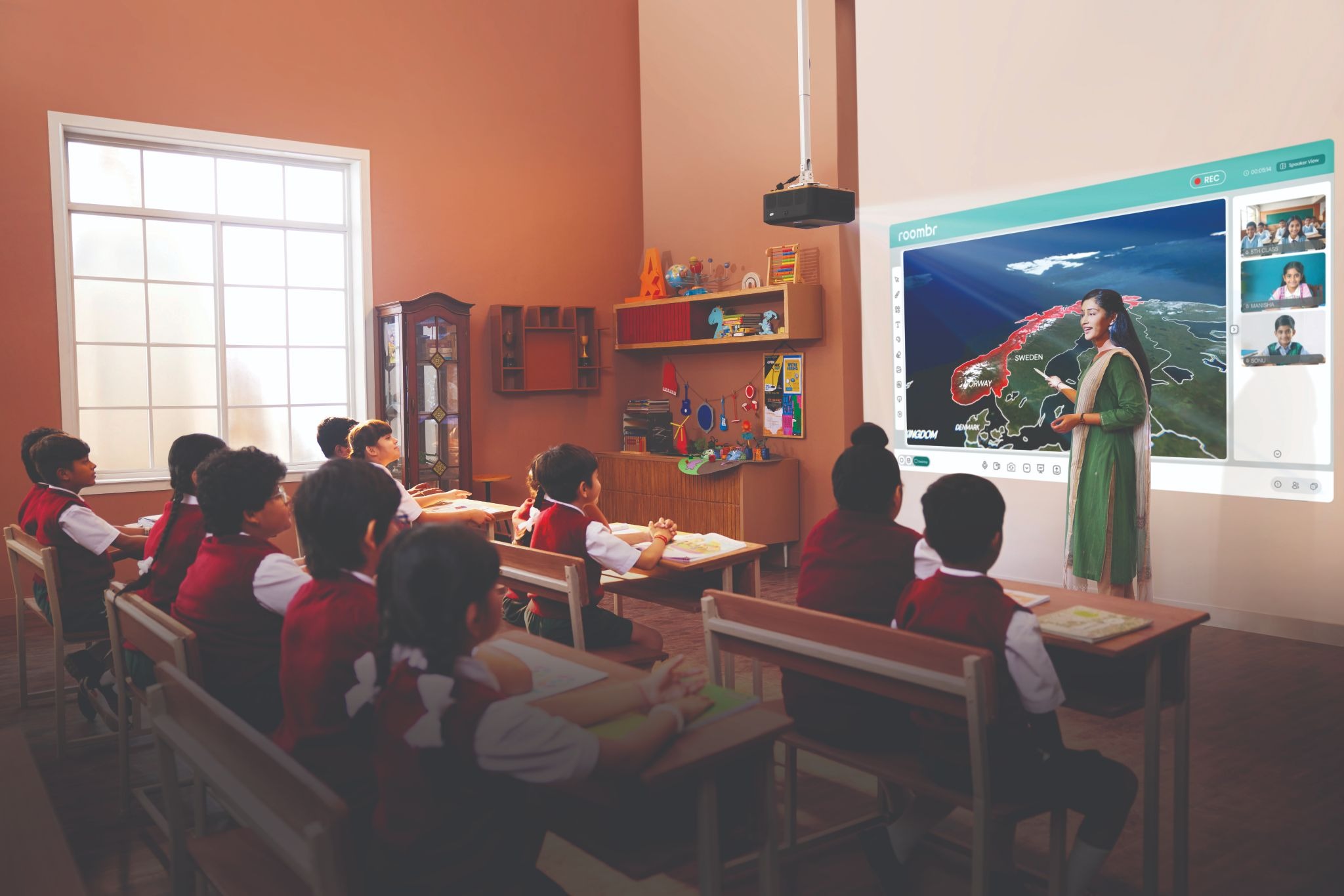
The Image: This digital classroom image shows an Indian classroom setting with standard desks and ceiling fans has been transformed. A single Roombr unit is mounted unobtrusively on the ceiling, turning a plain wall into a massive, bright computer screen running Windows 11.
You don't need a separate computer tower, a nest of wires, or fragile TVs that are too small for a large class. Roombr is an all-in-one device that simply plugs in and turns your existing wall into a giant HD computer. It's clean, simple, and ready for any subject.
2. Writing on the Wall, Naturally
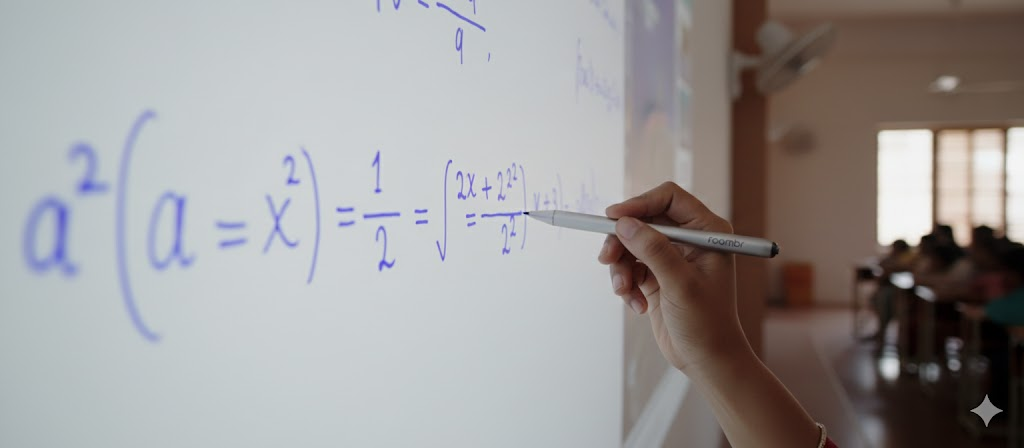
The Image: A close-up shows a teacher's hand using the Roombr IR Pen to solve a math problem on the wall. The digital ink appears instantly, just like writing with chalk on a blackboard, but much cleaner.
Teachers don't need to learn complicated new tech. They just pick up the pen and write. The IR Technology is incredibly fast and precise, making the wall feel like a natural canvas for teaching, drawing diagrams, or solving equations.
3. Bringing Lessons to Life in 3D

The Image: This image which looks like dinosaurs are coming to life is a depiction of how Roombr’s interactive display technology works. Students learn lessons in depth, with videos, diagrams and images visible in 3D. This creates a sense of scale and structure that flat diagrams cannot show.
Roombr’s intelligent, 3D-enabled display technology turns lessons into visual experiences students can actually see and relate to. This helps students grasp concepts faster, stay curious during lessons, and build stronger understanding by learning visually, not just through text or static images.
4. Interactive Hybrid Learning From Anywhere

The Image: Inside the projected display, the teacher appears live on screen, teaching in real time while standing alongside a 3D visual of the Sun and Earth. In this smart classroom image, the teacher’s presence within the display shows that the class is fully connected through Roombr. This allows her to teach multiple classrooms at the same time while still feeling physically present to the students.
Roombr enables live, two-way teaching by placing the teacher directly inside the lesson through advanced projection and video integration. Students see the teacher, the content, and the visuals together on one interactive wall, making remote or hybrid classes feel natural, engaging, and continuous.
5. Connecting Classroom and Home
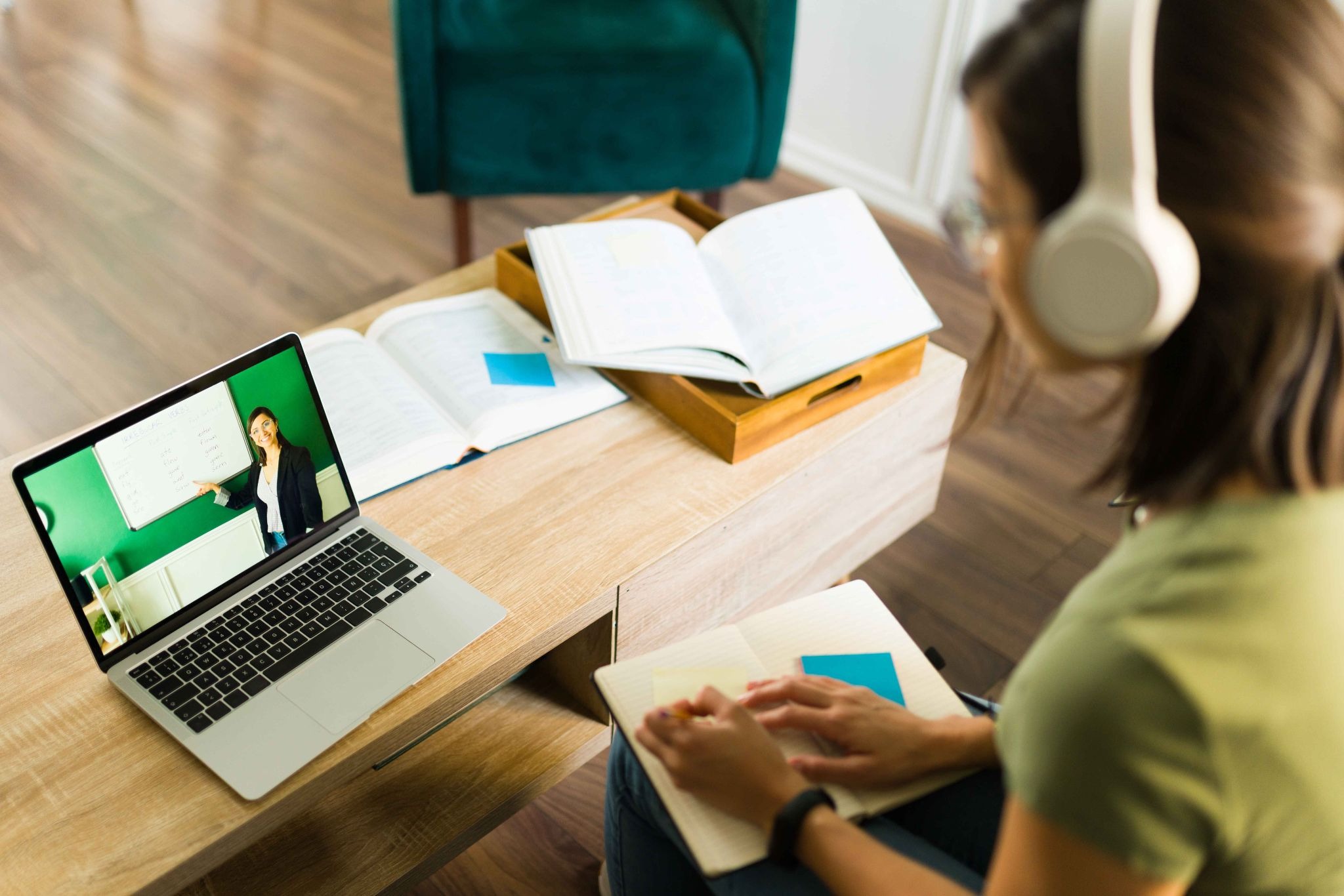
The Image: A student is seated at home with a laptop open on a study table, watching a live online class. On the laptop screen, the teacher is clearly visible, standing in front of a board and explaining the lesson, just as she would in a physical classroom. Open books and a notebook on the table show that the student is actively following along and taking notes during the session.
This is what connected learning looks like in real life. Even from home, students see and hear the teacher clearly and stay part of the class in real time. With Roombr App, online participants are not passive viewers. They attend lessons properly, follow explanations, and stay involved, making learning from home feel structured, personal, and continuous rather than distant or disconnected.
6. Saving the Lesson for Later
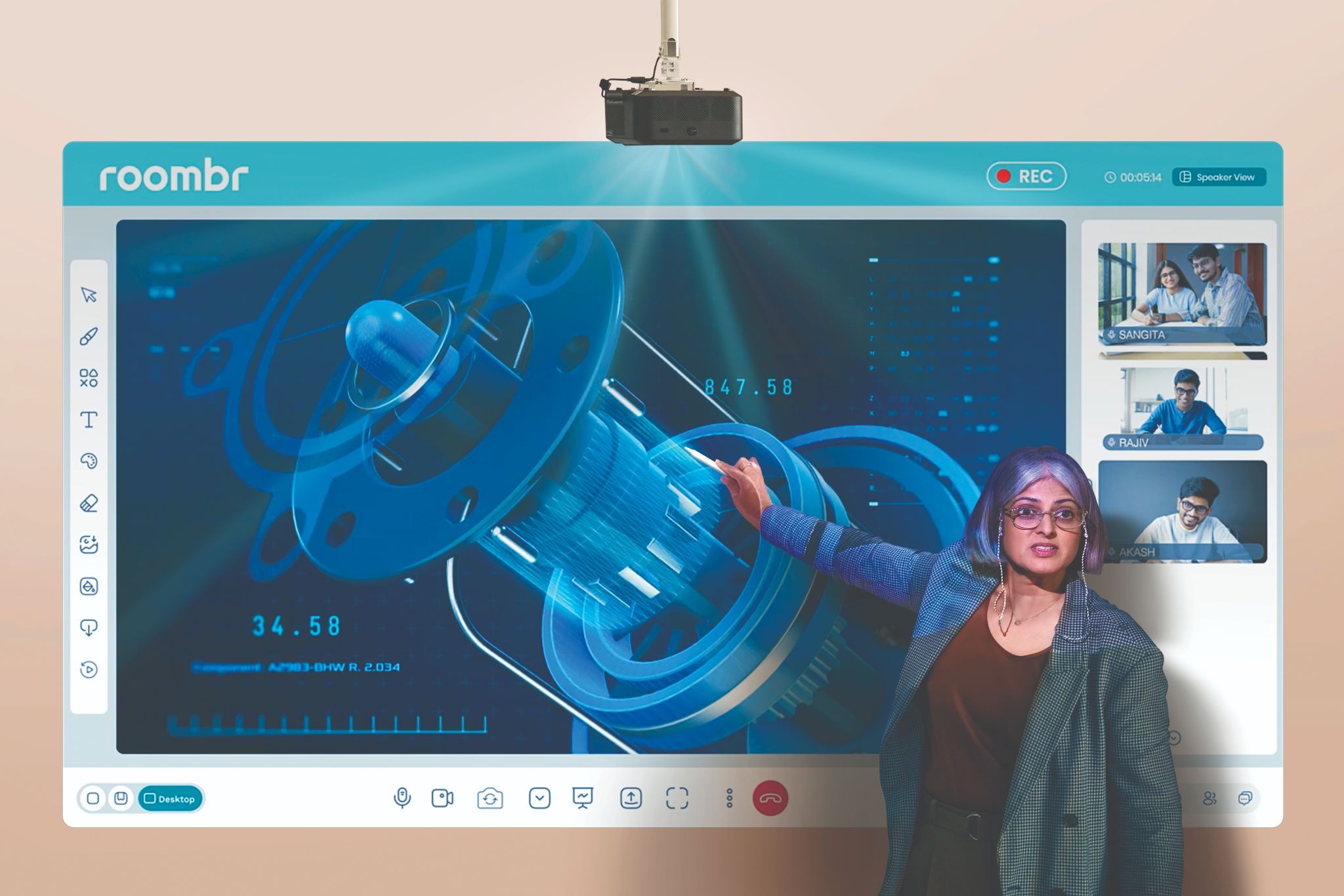
The Image: This smart classroom image close-up shows a projected screen interface with a small red 'REC' icon glowing in the corner. This indicates the class is being recorded while the teacher is teaching.
This is a game-changer for students who miss a class or need to review for exams. With one tap, the teacher records the entire session—audio, video, and everything written on the board—saving it to the cloud so no lesson is ever lost.
7. Learning Continues at Home
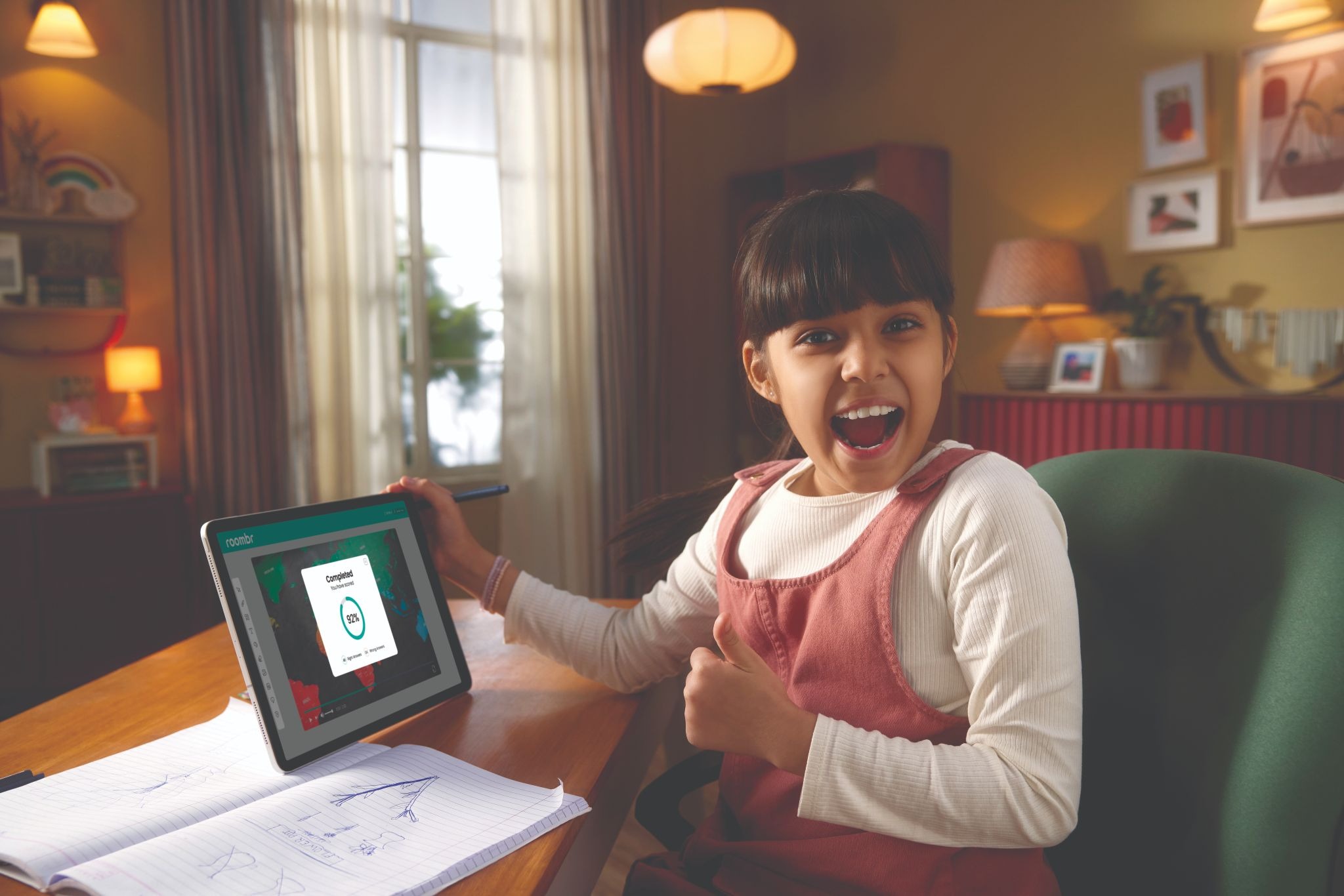
The Image: An Indian student is seated at a home study desk, holding a tablet that shows the Roombr learning app. On the screen, the student has just completed a recorded lesson, with the class playback and progress clearly visible. The child’s excited reaction shows active engagement with the lesson, even outside the classroom.
Roombr extends the classroom into the home. Students can open the Roombr App to revisit recorded lessons, review explanations, and revise topics whenever they need. This flexibility helps students learn at their own pace and builds confidence, knowing support is always within reach.
8. Seeing Where Students Need Help
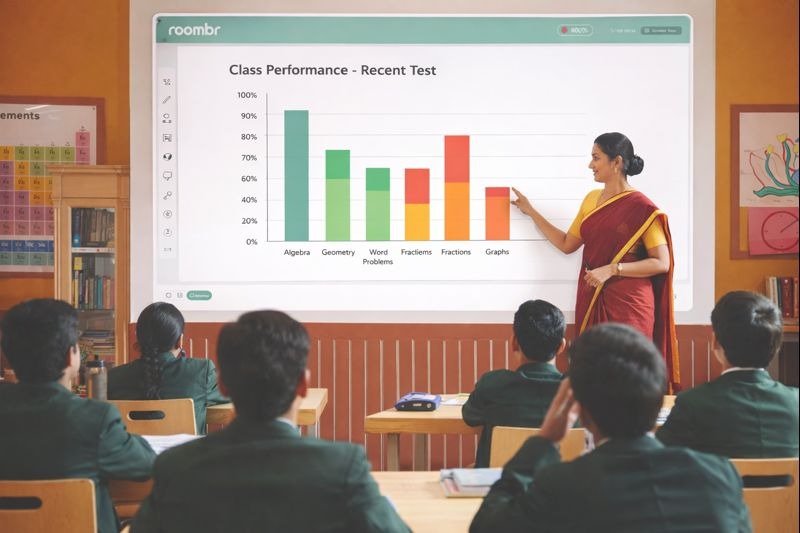
The Image: In this smart classroom image, a teacher is standing next to the wall screen, which is displaying a colorful bar chart. The chart shows the class's performance on a recent test, highlighting areas where students struggled.
Roombr isn't just for presenting; it's for improving. Teachers can give tests and instantly see AI-powered charts that show exactly which topics students are finding difficult, allowing them to provide extra help where it's needed most.
9. Trusted Technology for Indian Schools
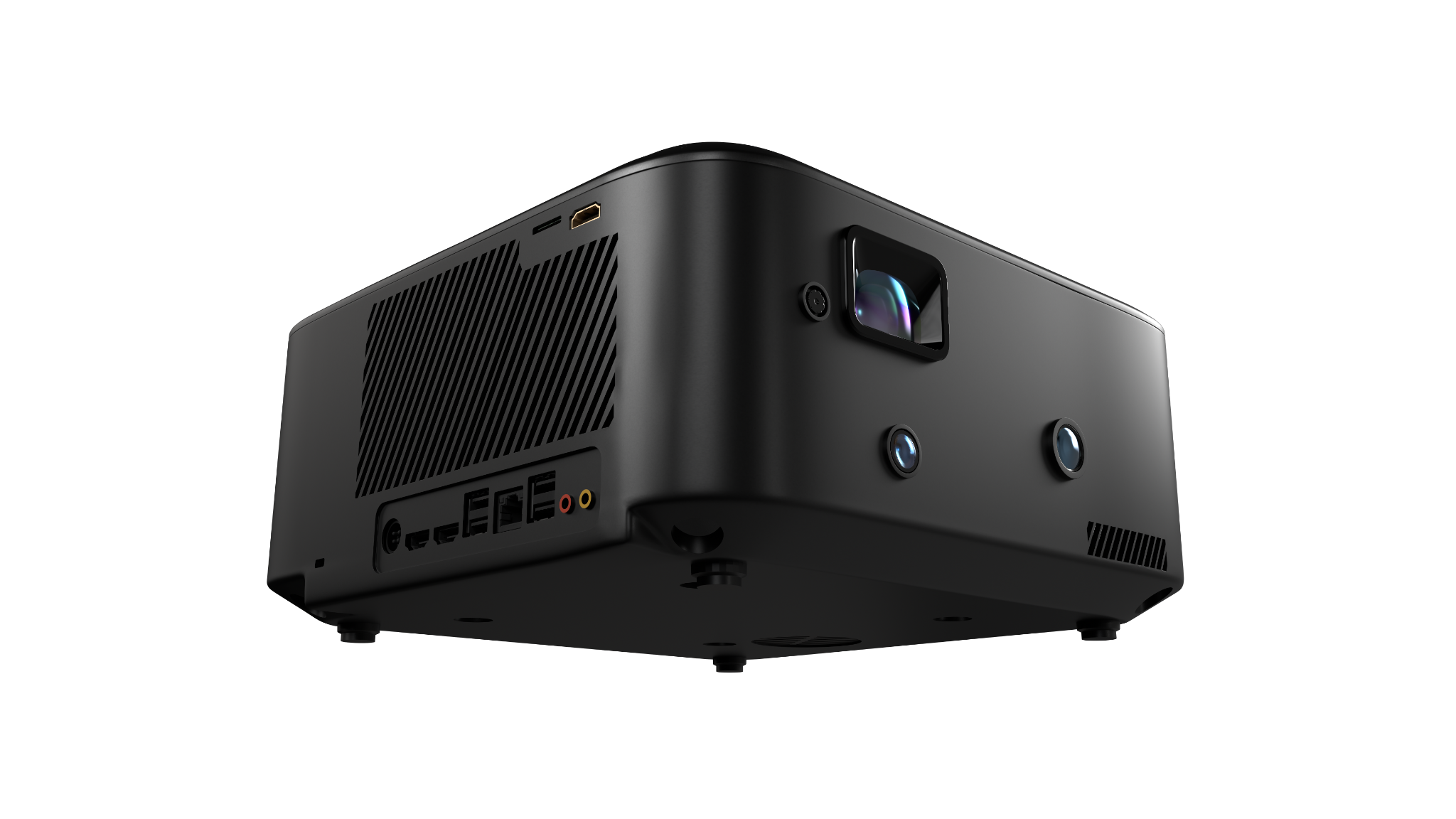
The Image: A close-up view of the Roombr all-in-one hardware unit shows its compact, solid build with integrated lenses, cameras, ports, and speakers. This single device handles projection, computing, audio, video capture, and classroom connectivity, all built into one seamless system designed to be mounted and run continuously in classrooms.
Roombr removes the need for multiple classroom devices. There’s no separate projector, computer, webcam, microphone, or speaker system to manage. Everything needed to run a digital classroom, from projecting lessons on the wall to recording sessions and enabling live interaction, is built into one reliable unit. This simplicity reduces setup issues, saves space, and ensures teachers can focus on teaching while the technology works quietly in the background.
These images show that Roombr isn't just a piece of hardware; it's a complete system designed to make teaching easier, learning more engaging, and schools more connected.
Turn Your Classrooms Into Spaces Students Want to Learn In
If you’re looking to move past basic screens and disconnected tools, Roombr offers a practical way forward. It brings teaching, interaction, recording, and remote learning together in one system that works quietly in the background while teachers focus on students. From daily lessons to hybrid classes and revision support, Roombr helps schools teach more clearly and consistently without adding technical load. The result is a classroom that feels modern, connected, and easy to run. If you want to see how this setup can work in your school or institution, book a digital classroom demo today.
Alternatively, reach out to us at +91 9686659444 or send an email to learn@roombr.com.

Foziya Abuwala
Share
Step Into the future of
Education with Roombr












