




Google Classroom is a familiar choice in schools and colleges. It helps teachers share material, create assignments, collect student work, and keep class activity organised. For many institutions, that is enough for day-to-day coursework.
But coursework is only one slice of what teaching teams do. Once an institution runs hybrid batches, supports absentees, pushes remedial learning, or tries to standardise teaching across departments, the challenges emerge. This way teachers may end up juggling a mix of tools: one for coursework, one for live classes, one for whiteboarding, one for tests, and one more for sharing files. Students feel that mess too.
That is why this comparison matters. It is not about picking a popular tool. It is about choosing the right teacher app for the full teaching workflow.
This post breaks down where Google Classroom fits, where it stops short, and what to look for when moving to online teaching platforms built for a true virtual classroom experience. It also shows how Roombr fits institutions that want one system that teachers can use every day.
What Google Classroom Does Well
Google Classroom is strong when your goal is coursework management. In practical terms, that usually means:
- Sharing notes, PDFs, slides, and links
- Creating and collecting assignments
- Organising class streams and announcements
- Tracking submissions and providing feedback
If your institution teaches mostly in-person and uses Google Classroom as a homework and handout hub, it can work smoothly.
Where Institutions Require More
Most decision-makers are likely to look for an all-in-one teacher app when daily teaching creates friction. Here are the common trigger points.
1. Live Teaching is Not the Centre of the Workflow
Google Classroom connects to live meeting tools, but the teaching experience itself happens elsewhere. That split sounds small, but it creates real classroom problems. A teacher has to move between apps to teach, share content, write on a board, check understanding, and keep attention.
A teacher app built for live teaching keeps those actions in one flow. That matters when classes run back-to-back, and teachers have seconds, not minutes, between sessions.
2. Recording Becomes Inconsistent Without a Built-In Habit
Institutions want recordings for revision, absentees, and test prep. The hard part is consistency. If recording depends on a separate tool, a setting, or a staff habit, it becomes uneven fast. Some teachers record, some forget, some save files in different places, and students lose access.
A virtual classroom setup works best when recording is part of the session itself, and sharing is a standard step, not an extra task.
3. Whiteboarding and Classroom Delivery Need Purpose-Built Tools
In real teaching, teachers write, draw, and explain in steps. They annotate diagrams, solve problems, and respond to doubts mid-way. Coursework tools do not solve that. Many institutions patch this with add-ons, which increase tool switching and training needs.
A teacher app that includes a collaborative whiteboard and screen share keeps instruction and interaction together.
4. Assessments Often Get Pushed to Separate Systems
Institutions also need quick quizzes, tests, assignments, and progress tracking. If assessments sit in a different product, teachers spend time exporting marks, tracking responses, and building manual reports. This drains teaching time and slows feedback.
That is why many institutions look for online teaching platforms that include test creation and assignment workflows inside the same environment as teaching.
5. Admin Control Matters
At scale, leaders care about standardisation and oversight:
- Can the institution manage users and roles cleanly?
- Can teachers follow a consistent class structure across grades?
- Can the institution track adoption and teaching activity?
This is where many LMS platforms help, but some feel heavy to roll out and hard to use daily. A modern teacher app needs the structure of an LMS without turning teaching into admin work.
Teacher App vs Google Classroom: The Real Decision
A simple way to decide is to ask what job your institution needs the system to perform.
Google Classroom fits well when:
- Coursework management is the main use case
- Live classes are occasional or handled outside the system
- Recordings are optional rather than expected
- Collaboration after class happens in separate channels without issues
A teacher app Like Roombr fits well when:
- Live teaching is a daily workflow
- Recording and replay are expected for every class
- Whiteboarding and screen share are standard teaching needs
- Tests and assignments must connect to progress tracking
- The institution wants all-in-one system teachers can follow consistently
If your institution is evaluating an online teaching app, the most important question is not feature count. It is whether the app keeps teaching actions together, so teachers do not bounce between tools in every class.
What to Look for During a Live Demo
When you evaluate online teaching platforms for institutional use, test them in a real timetable scenario. Ask for a demo that mirrors how your teachers actually teach. Use this checklist.
Live Class Flow
- Start a class quickly, without a long setup
- Switch between screen share and whiteboard in seconds
- Invite a guest speaker without complicated access steps
- Keep student interaction visible during the class
Recording and Replay
- Record sessions as a default setting
- Share recordings with students right after class
- Store recordings in an organised archive by class and subject
- Support access for revision without messy file hunting
Teaching Resources
- Upload and share notes and media inside the class space
- Keep resources tied to the topic and session
- Allow teachers to reuse content across batches
Assessments and Tracking
- Create quizzes, tests, and assignments inside the system
- Track progress by student and by class
- Help teachers spot weak areas fast for remedial planning
Admin Control
- Manage teachers, students, and roles centrally
- Set permissions and oversight features that work for institutions
- Support quick onboarding for staff with minimal confusion
A teacher app that performs well here will reduce tool switching, reduce training load, and improve consistency.
Where Roombr Fits for Institutions

Roombr is built for institutions that want more than coursework. It combines the Roombr teacher app with a classroom system designed to run teaching end-to-end.
Roombr App: Built for the Teaching Workflow
Roombr App includes features that institutions ask for once they move past coursework-only tools:
- Manage users for students and teachers
- Create instant and scheduled classes
- Chat plus audio and video calling
- Collaborative whiteboard
- Screen share and multimedia sharing
- Record class sessions and share recordings with students
- Manage classes, courses, and subjects
- Tests and assignments tied to progress tracking
- Content management using Drive
- Master control options for teachers
This matters because the virtual classroom experience stays in one place. Teachers do not have to teach in one tool, test in another, and follow up in a third.
Roombr Hardware: Consistent Classroom Delivery
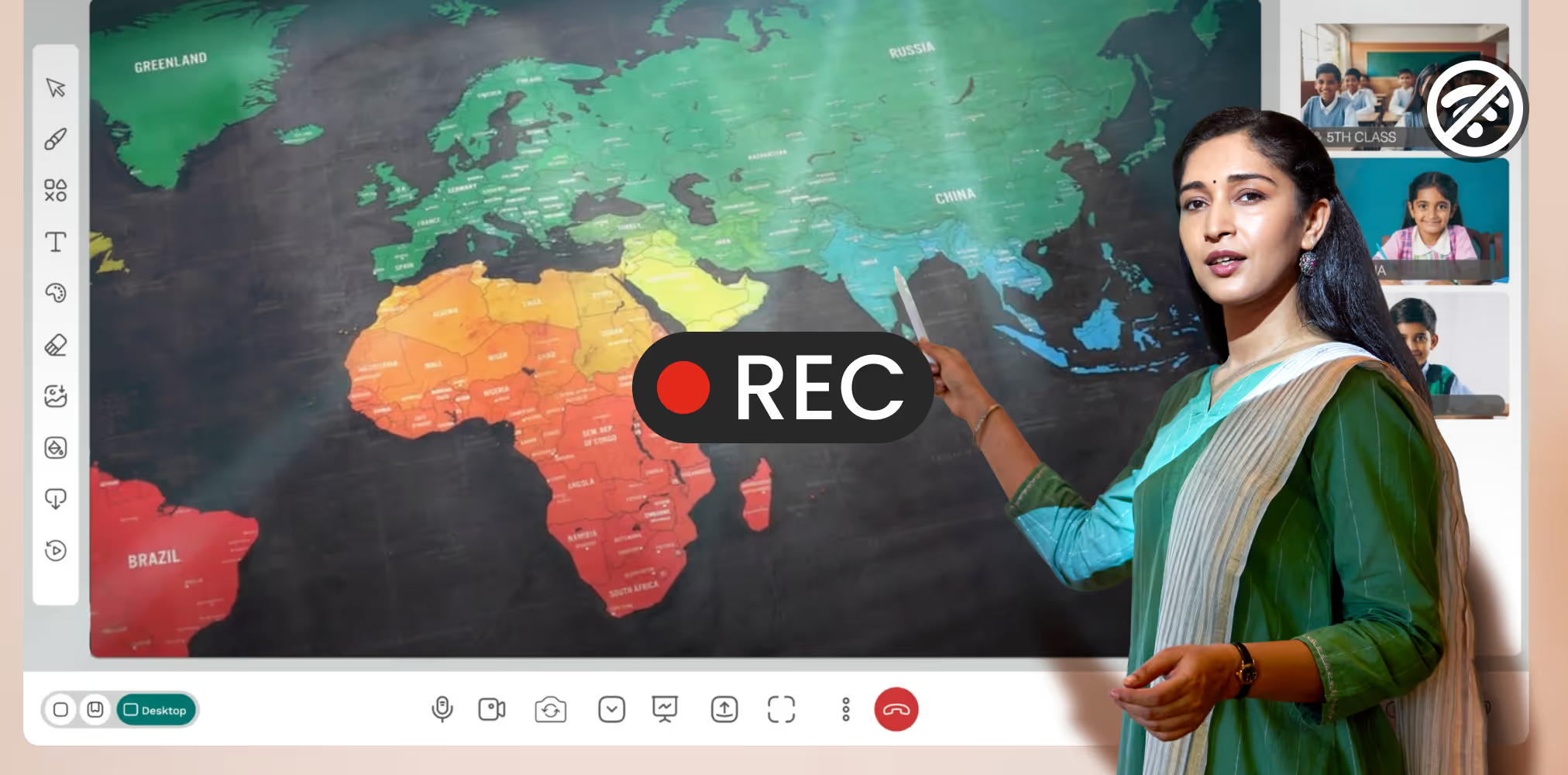
Institutions also care about quality and consistency in real classrooms. Roombr brings the classroom setup and app together through an all-in-one digital classroom unit. It combines an interactive display experience with a powerful computing unit, dual cameras, speakers, and a sensitive microphone system, designed for classroom conditions.
This helps institutions avoid a common problem: teaching quality depends on whichever device a teacher happens to use that day. With a standard classroom unit, teaching and recording stay consistent across rooms.
Trust and Procurement Readiness
Institutions also look for reliability and compliance. Roombr positions itself as tested and certified, with BIS and ISO certifications, which helps procurement teams feel confident during rollout.
Two Rollout Options that Work Well
Option 1: Keep Google Classroom for Coursework, Add Roombr for Teaching Flow
This is a practical move for many institutions. Keep Google Classroom where it works best: distributing classwork and collecting submissions. Then use Roombr as the teacher app for live teaching, recordings, whiteboarding, collaboration, and assessments.
This avoids disruption while fixing the real pain points.
Option 2: Consolidate When Tool Switching Hurts Outcomes
If teachers are switching between multiple tools every class, consolidation becomes valuable fast. A single system reduces training needs and improves consistency across departments.
A simple pilot plan:
- Pick one grade or one department
- Run a 3–4 week pilot
- Track attendance consistency, recording usage, student revision access, and assessment completion
- Collect teacher feedback on time saved from reduced tool switching
Next Step: See It in a Real Class
If your institution is already using Google Classroom and now needs more than coursework, the best next step is a live demo built around your real timetable. Ask to see one complete cycle:
- Start a class
- Teach with a whiteboard and screen share
- Record the session
- Share the recording
- Create a test or assignment
- View progress tracking
Roombr is designed to handle that full loop in one system. For institutions that want a teacher app that supports daily teaching at scale, this is where the difference becomes obvious.
See how a complete teacher app can simplify live classes, recordings, and assessments for your institution. Speak with our team, understand the setup, and experience it in action.
Phone: +91 96866 59444
Email: learn@roombr.com
Website: Book a Free Demo

Foziya Abuwala
Share
Step Into the future of
Education with Roombr












