



Exam season in India brings a familiar wave of anxiety to schools across the country. The stress does not just fall on the students. It falls incredibly hard on the educators. Teachers spend countless hours drafting, formatting, and reviewing assessments. Creating high-quality tests is essential for academic success. Yet the traditional process remains one of the most draining and time-consuming tasks for any faculty member.
Today, education technology is fundamentally changing how schools operate. Forward-thinking schools are moving away from manual typing and basic online forms. They are adopting modern digital solutions that actively respect a teacher's time and effort. A modern digital setup does much more than simply display videos on a screen. It transforms an educator's entire workflow from the ground up.
In this comprehensive guide, we will explore the exact steps to build professional and syllabus-aligned assessments in mere minutes. We will look at how a dedicated question paper creator like the Roombr AI takes the pain out of exam preparation. You will learn how to maintain strict academic rigor while reducing your administrative workload to zero.
The Administrative Burden on Indian Educators
Think about the last time you created a midterm exam for your students. You likely started by digging through heavy physical folders of previous years' question papers. Then you opened a blank Word document on your laptop. You probably spent hours typing out questions and struggling to format the margins correctly. Inserting a complex chemistry diagram or a geometry shape likely disrupted your entire page layout and caused massive frustration.
This manual grind is a massive operational problem in Indian schools today. Teachers lose a huge portion of their valuable non-teaching time to these repetitive administrative tasks. Every single minute spent adjusting fonts is a minute stolen from actual teaching. It takes precious time away from student mentorship, grading, and interactive lesson planning.
Some teachers try to fix this exhausting process by using a basic free online question paper creator. These generic tools promise speed, but they almost always deliver poor quality. They might spit out questions from chapters you have not even taught yet. They often give you random difficulty levels that confuse students. Worst of all, you usually cannot edit the final output. This rigid structure forces you to discard the whole generated test and start over manually.
Schools need a middle ground. They need a system that offers the lightning speed of automation but firmly keeps the human teacher in control. Modern technology gives teachers the intelligent tools they need to build, customize, and distribute assessments instantly.
Core Features of a Smart Classroom for Exam Preparation
A modern educational setup is an entire connected ecosystem. For instance, when you use the Roombr Portal or Desktop App, every single person gets their own dedicated digital space. Every teacher, student, administrator, and faculty member has a highly secure, individual profile. This personalizes the entire educational experience and keeps data organized.
When a teacher logs into the Roombr App, they see a Home Page that feels incredibly familiar and intuitive. It offers daily updates, class highlights, and assessment notifications in a flowing feed. It looks and functions much like the home page of a social media platform like Instagram. This familiar interface keeps the whole school seamlessly connected. It also makes exam season highly organized because everyone knows exactly what is happening in real time.
These holistic features of a smart classroom completely change how you build exams. You no longer have to work in isolation. The most powerful tool within this ecosystem is the built-in question paper creator. The Roombr AI is highly flexible and understands that teaching happens in specific modules rather than just broad textbook chapters. This intelligent AI creates customized assessments based strictly on your exact syllabus coverage.
If you want to dive deeper into how this specific software functions, you can read our step-by-step test generator guide.
Collaborative Exam Planning: From Home Desk to Staff Room

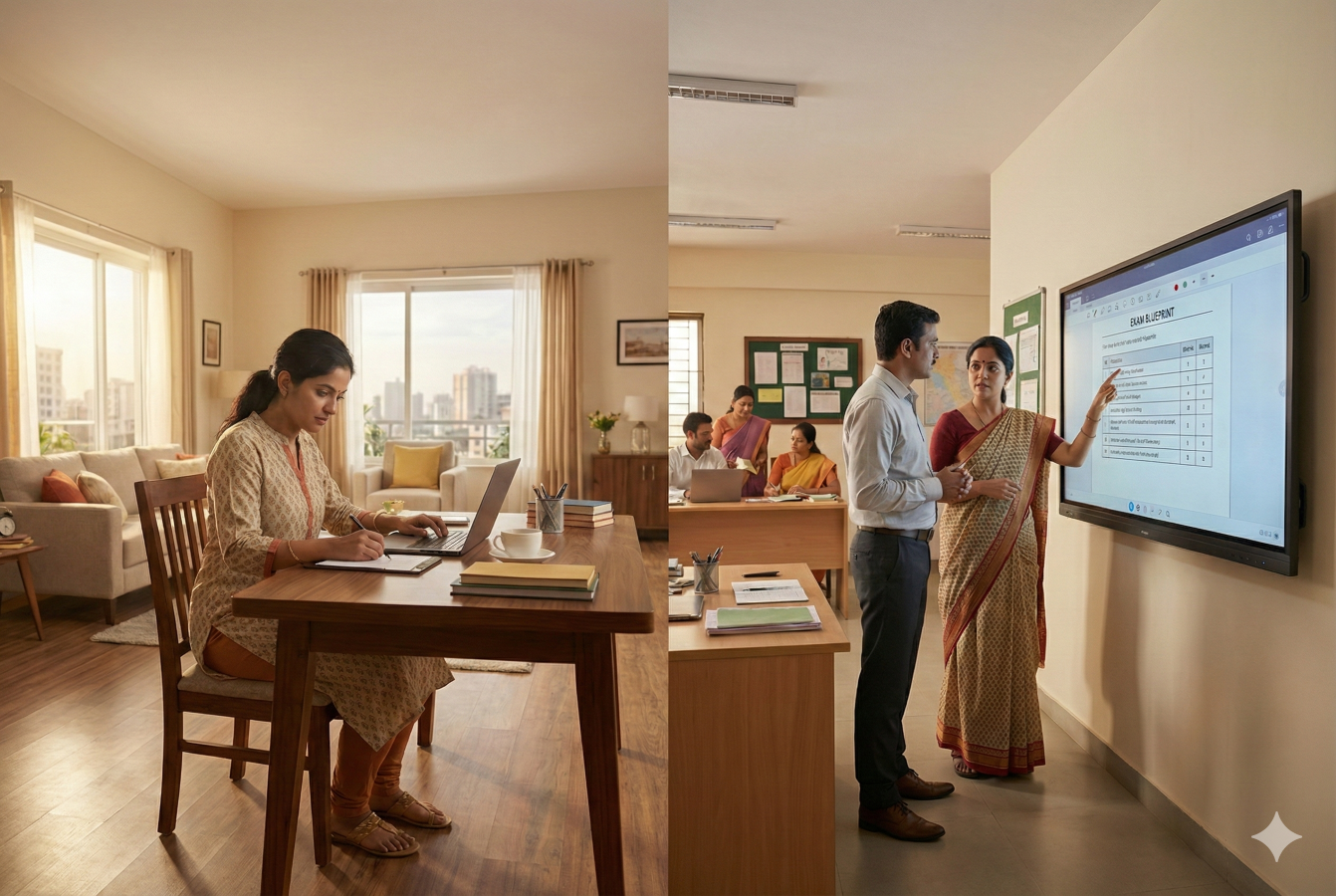
Let us look at a highly practical scenario that every Indian educator understands. Most exam preparation starts in the quiet of a teacher's home. You need uninterrupted time to draft a balanced paper. However, the final review and alignment must happen with your colleagues at school. Here is how a connected digital ecosystem transforms this hybrid workflow.
1. Syncing Up via the Daily Feed
Your morning does not start at school; it starts at your home desk. You open the Roombr App on your laptop to review the week. Because every teacher has an individual profile, your home page shows a social-media-style feed of recent classes. You can instantly see the highlight reel from your colleague's geometry session. This instant visual update ensures that when you draft a common assessment for the entire grade, your questions align perfectly with what has been covered across every section, avoiding any 'out of syllabus' surprises for the students.
2. Drafting the Digital Blueprint Remotely
Instead of carrying heavy physical folders back and forth, you log into the Roombr Portal from your home study. You pull up the latest CBSE sample papers and begin blueprinting the exam structure digitally. You are not working on a fragmented document that might get lost. You are building a secure, cloud-based draft. This replaces the process of calculating chapter marks manually on a piece of paper that you might forget to bring to school the next day.
3. Finalizing Questions in the Staff Room
When you reach the staff room, the collaboration begins. You don't need to huddle around a single laptop. You and your colleague both log into the question paper creator from your respective desks. You open the draft you started at home. If the AI generates a question that uses numbers your students might find too simple, you discuss it with your colleague across the desk and edit the assessment manually. You easily change the numerical values together to make the equation harder and more appropriate for your batch.
4. Crafting Differentiated Question Sets
Because the system is highly flexible, you can handle the final tweaks. You can easily clone the digital blueprint you just finalized. Within the portal, you can manually edit the assessment to lower the difficulty for a remedial batch or create an advanced version for top performers. You do all of this in minutes, even amidst the typical distractions of a busy staff room, because the heavy lifting was already done during your quiet time at home.
5. Securing the Assessment Tools
For a mock board exam, security is the absolute top priority. Whether you hit the final "save" at home or in the staff room, the data remains encrypted. You use your integrated assessment tools to push the finalized PDF directly to the school's secure digital network. This eliminates the need to visit the printing room or worry about physical copies.
Tips to Overcome Academic Challenges in a Digital Smart Classroom
Exam creation is rarely straightforward. Subject teachers often face unique hurdles that basic software programs simply cannot fix. A holistic digital smart classroom provides the necessary environment to handle complex academic requirements without frustrating the faculty.
1. Visualize Complex Equations on the Big Screen
Math and science teachers often struggle to format chemical formulas and complex geometric shapes. When planning on the Roombr Portal, teachers do not have to squint at small laptop screens or worry about formatting breaking. Because every faculty member has an individual profile, a science teacher can upload a complex physics diagram to their profile. They can then share it directly with the respective faculty members. The department head can open that exact diagram on the large AI-Powered interactive panel to ensure it is clear enough for the final exam paper.
2. Planning Vernacular Assessments Natively
Language teachers face immense challenges when planning exams in Hindi, Sanskrit, or regional dialects. Standard formatting tools often corrupt these specialized fonts. The features of a smart classroom natively support these scripts across the entire ecosystem. A Hindi teacher can confidently use the question paper creator on the desktop app to draft a comprehensive grammar test. They can then securely push it through the system to the interactive display for a quick peer review, knowing the formatting will remain absolutely perfect.
Improve Exam Quality with a Question Paper Creator
Technology in education should always amplify a teacher's expertise. It should never aim to replace it. Utilizing a premium question paper creator ensures your school maintains the highest possible academic standards.
When you remove the friction of formatting and typing, teachers can fully focus on the actual quality of the questions. They can spend their newly freed time reviewing the detailed analytics provided by the Roombr portal. The daily social feed might highlight that a large portion of students failed a specific algebra concept last week. The teacher can then use the integrated assessment tools to instantly generate a targeted remedial quiz specifically for that exact concept.
This incredible level of responsiveness is entirely impossible with manual workflows. A sophisticated question paper creator allows schools to move from passive testing to active and dynamic learning. You catch learning gaps early, and you fix them immediately.
Why Top Schools in India Are Upgrading Their Setup
The education landscape in India is highly competitive. Parents expect modern schools to use the best available methods to support their children. Relying on outdated manual processes directly hurts your teachers and negatively impacts student outcomes.
The benefits of smart classroom adoption go far beyond simple convenience. These setups represent a fundamental shift in daily school operations. They eliminate administrative fatigue and protect teachers from professional burnout. They allow your faculty to do exactly what they do best, which is teach, inspire, and mentor their students.
Upgrading to a holistic digital environment means you are actively investing in the future of your institution. A powerful question paper creator bridges the massive gap between rigorous testing requirements and limited faculty time. By choosing a solution like Roombr, you give your educators a dynamic canvas that adapts to their specific needs. You give them a social, connected, and highly intelligent platform that makes everyday tasks completely effortless.
Frequently Asked Questions
1. Can faculty collaborate on tests outside the staff room?
Yes. Because the Roombr App assigns a secure individual profile to every teacher, planning is not restricted to one physical room. A teacher working from home can log in and see the same daily updates and class highlights as a teacher sitting in the school building. They can collaborate on the exam blueprint digitally in real time.
2. How does the daily feed help department heads monitor exam prep?
The home page of the portal functions exactly like a social media feed. It offers daily updates, video highlights, and assessment notifications. A department head can scroll through this visual feed to see which classes have actually completed their required syllabus. This clear visibility ensures that anyone using the question paper creator is aligning the test perfectly with the actual teaching progress.
3. Is it difficult for older teachers to learn this new system?
A major concern with adopting new technology is the learning curve. However, because the interface deliberately mimics familiar platforms like Instagram, the adaptation process is fast. The intuitive design means teachers of all technical skill levels can learn the technology without requiring weeks of stressful and confusing training. To make the transition even smoother, Roombr offers ongoing teacher training so that your faculty always feels supported as they master the system.
4. Does this setup replace our existing testing software?
It elevates it completely. While basic online tools act as standalone websites, Roombr is a comprehensive digital ecosystem. You transition from using a fragmented and basic tool to utilizing a connected environment. Your teaching logs, visual displays, and your advanced question paper creator all operate seamlessly in one unified place.
Transform Your School with a Holistic Digital Classroom Solution
Roombr offers a holistic digital classroom solution that empowers your faculty and inspires your students. We go beyond simple screens by providing a complete ecosystem for the modern era. Our platform simplifies every part of the school day, from lesson delivery to complex exam planning. Some of the fundamental features include:
- Giant 120-200 inches interactive touch screen
- Instant AI-powered question paper creator
- Automatic class recordings
- Loud and clear sound
- Simple plug-and-play setup
Ready to upgrade your institution and eliminate teacher burnout? Take the first step toward a smarter future today. Book your personalized demo to see how Roombr can transform your teaching environment.

Foziya Abuwala
Share
Step Into the future of
Education with Roombr












