




Education is changing faster than ever before. Schools and institutes need the best digital classroom tools to stay ahead. Finding the right teaching software or app can completely change how you connect with your students. Roombr Lite is a top edtech platform built specifically for educational institutions in India. You no longer need to juggle many different apps. Roombr Lite gives you one unified system for everything.
In this post, we will look at all the digital classroom software features that make Roombr Lite the best choice for your school. A true smart classroom makes learning easy for everyone involved. Roombr Lite is the perfect online teaching app for institutes looking to grow today.
Simple User and Workflow Management
A good platform needs a strong start. Roombr Lite makes administrative work very easy. You can create your institute profile and quickly assign admins. The platform lets you add and manage teachers without any stress. You can also add and manage students with just a few clicks. This ensures that everyone gets the exact access levels they need.
Managing daily work is just as simple. Teachers and admins can create and manage classes fast. You can easily add students to specific classes. This ensures that students see only their own coursework. This clean organization is a must for any good school software. Also, Roombr Lite gives you unlimited licenses for both teachers and students. Your institute can grow and add more users without paying extra fees per person.
Schedule and Run Live Online Classes
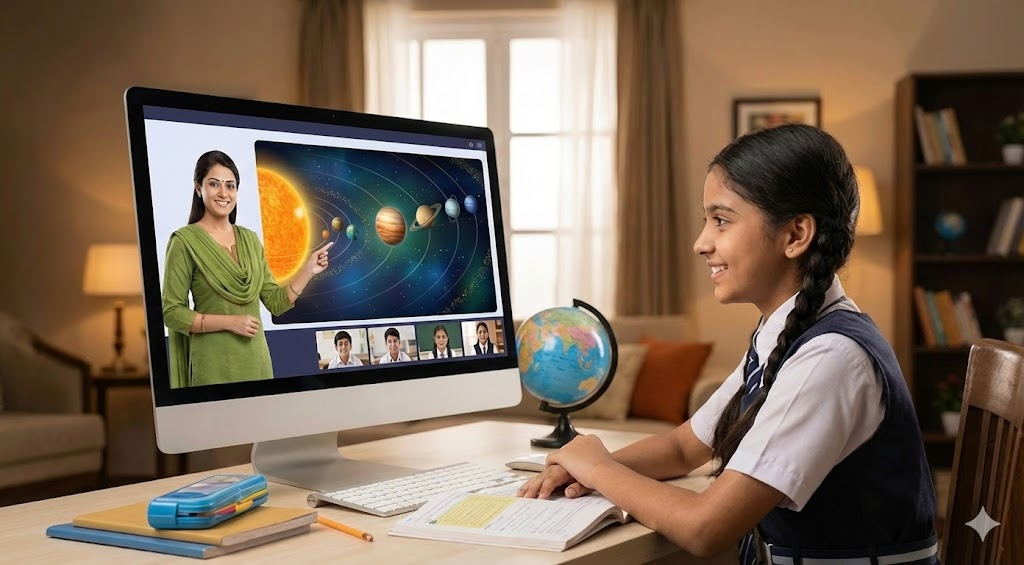
Every great classroom app needs strong live features. Roombr Lite lets you start an online class instantly. You can also schedule a class for a specific date and time to fit your timetable. Inside the virtual room, teachers get amazing virtual classroom tools built for effective teaching.
1. Full Control Over Your Screen
Teachers can use custom video recording layouts. You can choose to record the class using your screen, your camera, or both at the same time. This helps you create great visual content for your students.
During the class, you can share your screen or present content easily. Students can change their view options based on what they like. They can switch between Speaker view, Grid view, or Full Screen.
Teachers can even toggle between their desktop and the Roombr app seamlessly during class. You can PIN a video to keep it fixed on your screen. You can also spotlight a video so everyone focuses on that specific feed during the session.
2. Tools to Keep Students Engaged
Keeping students active is vital for blended learning platforms. Roombr Lite has an interactive chat feature. Users can send text messages, share files, and use emoticons to talk in real-time.
Teachers can see who wants to speak using the hand-raise tools. Emotion indicators help you understand the class's mood. This is a great method for tracking student engagement.
For group work, you can use collaborative whiteboard learning. You can give writing access to all or selected students. You can also use annotation tools to draw or write on the shared screen.
Taking attendance is incredibly fast with our QR code attendance system. Students simply scan a QR code displayed during the session to mark their attendance.
3. Class Recording and Admin Controls
Admins and teachers have full control over the room. You can turn student mics and videos on or off. You can add or remove students instantly. You can also lock or unlock classroom access to control exactly who enters.
For recording classes, Roombr Lite offers full online class recording. You can record the whole session from start to finish. You can pause and resume the recording to capture only the most important parts. You can even bookmark sections during the class. This helps you find important moments quickly when editing later.
Offline Access and Guest Features
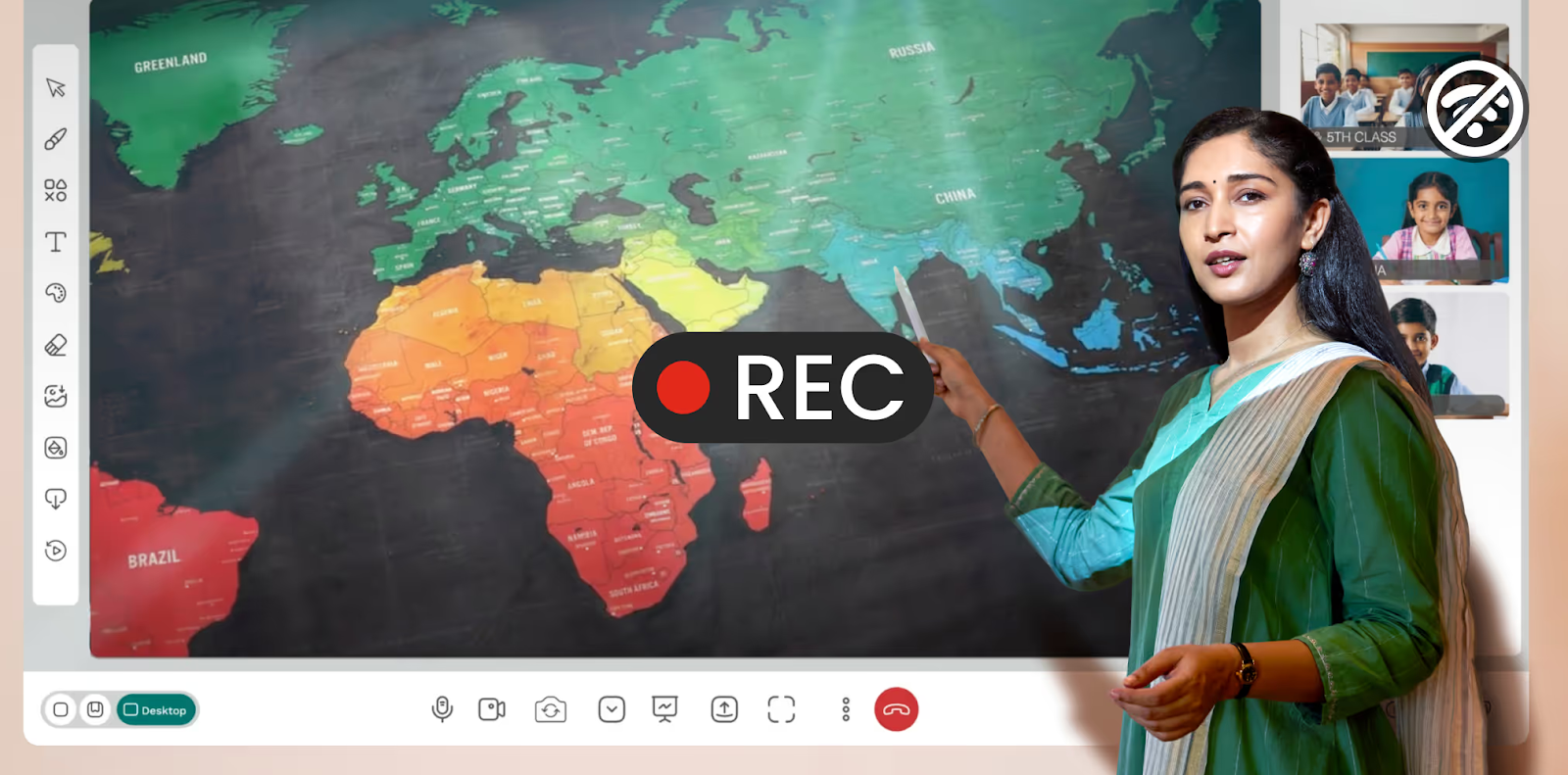
Internet connections can sometimes drop. Roombr Lite also works as a highly reliable offline class recording software. Teachers can record a physical offline class directly through the app. You can also pre-record a class to make study materials ahead of time.
Offline user authentication is a massive help for teachers. Teachers can use the app even without an internet connection. The app uses your past login details to let you in. This means your teaching work never stops.
The platform also allows guest user access. People without Roombr accounts can log in safely through a guest feature. They can use all the features of the app. Registered users can then take the content guests create and publish it to regular classes.
Create and Share Post Class Content
Learning does not stop when the live class ends. Roombr Lite gives you tools to edit and share videos easily. This makes it a powerful tool for modern hybrid learning.
1. Make Micro Learning Content
Students often learn better with short videos. Roombr Lite helps with micro-learning content creation. Teachers can break long classroom recordings into short video segments. This helps students find what they need to study without watching hours of video.
2. Easy Video Editing Tools
You do not need extra editing software. Roombr Lite includes manual video editing tools built right in. You can split, trim, and crop videos easily. You can also insert images, slides, or other videos right into your lesson.
The auto-split by bookmarks feature saves you a lot of time. The software automatically splits videos based on the bookmarks you made during the live class. This helps teachers manage their content incredibly fast.
3. Share Lessons and Track Progress
When your video is ready, you can publish it to a selected class. Students in that class can watch it right away. Admins and teachers can also download or delete files in the central library.
Students get interactive video playback features. They can watch video lessons and skip directly to specific topics. This targeted learning approach makes Roombr Lite one of the best education apps for students available today.
Reports Security and App Details
Schools need to know their data is safe. They also need to see how their students are performing. These details are key to any secure educational apps.
Roombr Lite includes a very helpful teacher admin dashboard. Admins, teachers, and students get to see their own personalized data. You can easily download basic reports for session details, attendance, and other metrics.
Security is very strong on this platform. The media server uses an NGINX reverse proxy with only safe ports open. The app uses secure dynamic tokens for access. We offer WebRTC-encrypted classes protected by top security rules. The system also uses a TURN Server with CoTURN and time-limited tokens to prevent unauthorized access. Basic user data is stored safely in encrypted Amazon RDS databases. Finally, SSL ensures all client-server communication remains completely secure.
You can use Roombr Lite from anywhere. It is a true cross-platform online classes app. We have a desktop application for Windows and macOS. The mobile application works perfectly on Android and iOS devices. The web version works smoothly on all major browsers. Finally, every device gets 50GB of cloud storage to keep all your files safe.
Choosing the right digital classroom software features is simple with Roombr Lite. We give you everything you need to run an amazing and modern school or college.
Frequently Asked Questions
1. How long does it take to set up the digital classroom software for an institute?
The onboarding process is incredibly fast. Most educational institutions can fully deploy the platform and activate all teacher and student accounts within a single working day.
2. Do teachers need special hardware to use these virtual classroom tools?
No special equipment is required. The software is optimized to run smoothly on standard laptops, desktops, and modern smartphones equipped with basic webcams and microphones.
3. Does Roombr provide training for educators using the platform?
Yes. We offer comprehensive onboarding sessions and dedicated technical support to ensure your teaching staff feels completely confident using the new system from day one.
4. Can schools import existing student records into the edtech platform?
Absolutely. Institute administrators can bulk upload existing student and teacher databases via simple CSV files to speed up the initial profile creation process.
5. Is the online classes app free for students to download?
The application is completely free for learners. Institutes hold the main licenses, meaning your students simply download the app and log in without facing any hidden charges or paywalls.
Upgrade to a Holistic Digital Classroom Solution
While Roombr Lite offers incredible software features to manage your daily classes, your institution's journey to modernization does not have to stop there. Roombr is proud to be a holistic digital classroom solution. We do not just provide advanced software. We also offer state-of-the-art, all-in-one hardware solutions built specifically for modern learning environments.
By combining our premium interactive hardware with our powerful software, we create a complete educational ecosystem. You do not need to go anywhere else to piece together different tools or deal with multiple vendors. Roombr has absolutely everything an educational institution needs to deliver a world-class hybrid learning experience under one roof. Let us help you build the perfect setup to empower your educators and students today.
Speak To Us: +91 9686659444
Mail To Us: learn@roombr.com

Foziya Abuwala
Share
Step Into the future of
Education with Roombr












